
Dictionary - M-W Premium
Merriam-Webster Inc.Books & Reference
3.22.26K Reviews
- Version
- 5.6.2
- Installs
- 100.00K
- Age Rating
- Everyone
Screenshots
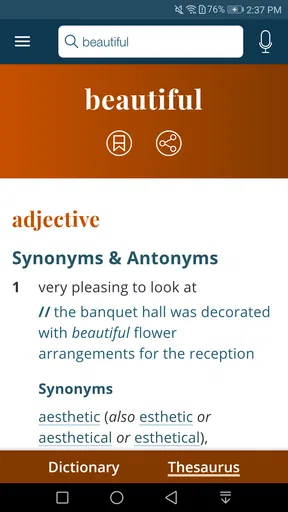
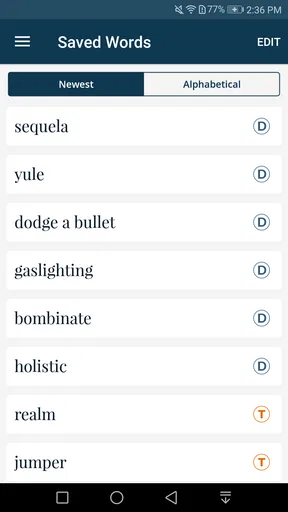
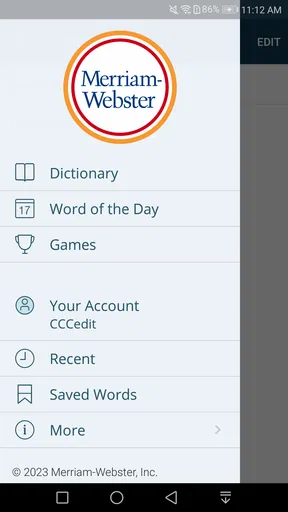
Our Review of Dictionary - M-W Premium
 Analysis by Appyee
I tend to notice a dictionary’s value less during the first exciting week than in the ordinary moments that follow: a word in a book, an uncertain pronunciation before a meeting, or a sentence I’m trying to polish. That is where Dictionary - M-W Premium has to earn its place. It is a paid reference app from Merriam-Webster Inc., aimed at people who want more than an occasional quick definition, and my view is that its lasting appeal depends on whether you enjoy exploring words as well as looking them up.
From first-week curiosity to a useful routine
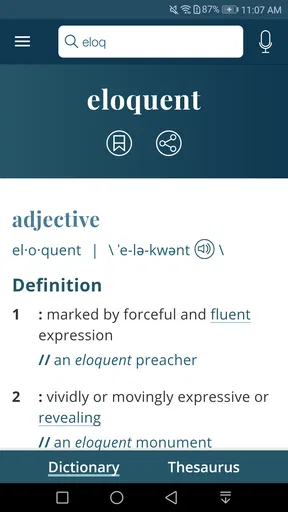
The first few searches are satisfying because the app makes the basic task feel direct. I can enter an unfamiliar word, check its meaning, and move on without much fuss. Pronunciation audio is especially useful when I recognize a word in print but have never needed to say it aloud. Rather than guessing from spelling, I can listen first and feel more comfortable using it in conversation.
That small confidence boost makes a difference in everyday situations. Imagine reading an article on the bus and finding a term you half understand. I can check it there, listen to how it sounds, and return to the article without turning the moment into a research project. Later, if the word comes up at work or in a conversation, I’m less likely to avoid it. This is the kind of quick, practical use that can turn a dictionary from a download into a habit.
The app also gives curious readers reasons to stay after the immediate question is answered. Etymologies and word histories invite a second look, while examples can help clarify how a definition works in context. I find those details more valuable than simply collecting unfamiliar words: they help me understand why a word carries a particular sense and whether it fits the sentence I’m writing.
What makes the first week engaging
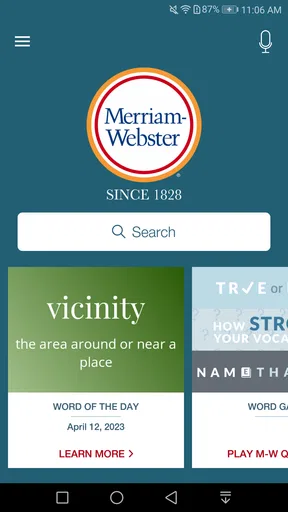
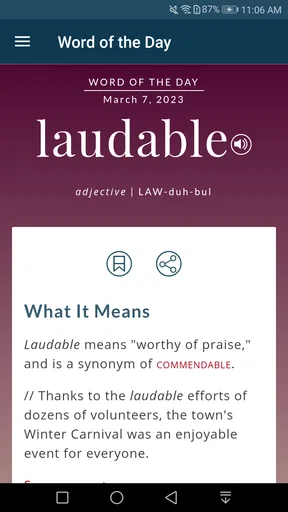
The word of the day offers a low-effort way to encounter vocabulary without having to think of a search term first. I like it best as a prompt, not a promise that one new word will transform my vocabulary. A practical habit is to read the definition and example, then try to notice whether the word would sound natural in something I might actually say or write. If it feels forced, I can leave it as an interesting fact rather than forcing it into conversation.
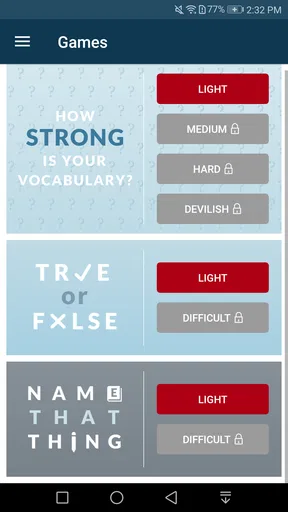
The quizzes add a different kind of activity. They can make a spare minute feel more active than browsing definitions, and they suit someone who enjoys testing what they know. They are not a substitute for learning a word in context, though. When I miss an answer, the useful next step is to look up the word and compare its meaning with the way I first interpreted it. That turns a score into a learning moment rather than a quick distraction.
Those interactive touches are also easy to overvalue at first. A word-of-the-day prompt or quiz can be enjoyable when the app is new, but the more durable reason to keep it is whether its reference content answers real questions. I would treat the playful elements as a doorway into the dictionary, not the main reason to pay for it.
Month-to-month value for readers and writers
Over time, I see the strongest case for the app in repeated, varied use: checking a meaning while reading, confirming pronunciation before speaking, and comparing shades of meaning while editing. The expanded definitions and advanced search options are more relevant here than they are for someone who only wants a one-line answer. Searching phrases or looking into grammatical nuances can help when a word’s meaning alone does not settle how it should be used.
A useful writing workflow is to search a candidate word, read the definition and examples, and then return to the original sentence to decide whether the word sounds right in that particular voice. I would not replace a full edit with a dictionary search; definitions can confirm meaning, but they cannot decide whether a sentence is clear, tactful, or persuasive. The app is best as a focused reference beside the writing, not as an automatic editor.
For students, it can support reading and vocabulary practice, especially when pronunciation or word history helps make a term memorable. For language learners, audio and examples may be useful, but a monolingual English dictionary is not always the quickest route from an unfamiliar word to understanding. If I needed translations, conjugation help, or explanations built around another language, I would choose a tool designed for that job and use this one as a second reference for English nuance.
Compared with a free dictionary app or a quick web search, the appeal here is a more complete reference experience without ads. Free alternatives may be enough for occasional lookups, and web searches can be convenient when I am already browsing. The trade-off is that a search engine may place definitions among unrelated results, while a dedicated dictionary keeps attention on the word. Premium makes most sense if that cleaner, deeper experience is something I expect to use regularly rather than just admire during the first few days.
Keeping the app useful without making it homework
I would build a modest routine around the moments that already happen: look up a word when it interrupts reading, listen to pronunciation when I am unsure, and revisit an etymology only when the origin genuinely interests me. That is more sustainable than trying to quiz myself every day. If I want to remember a word, I can write a short sentence of my own after checking it; that forces me to test whether I understand its use rather than only recognizing the definition.
Another helpful distinction is between a word I need right now and one I want to explore. For an urgent question, I would search directly and stop once I have enough to proceed. For a word that catches my attention, I would take the extra time to inspect its examples, history, and pronunciation. Separating those two modes keeps the app quick for practical tasks while preserving its value for slower curiosity.
The ad-free experience is a meaningful part of the premium proposition for me because dictionary searches often happen in the middle of another task. Removing interruptions helps preserve that focus. Offline access is also useful when I expect to be away from a connection, such as during travel or in a place with unreliable service. I would still check that the app is ready for the kind of offline use I have in mind before relying on it for an important assignment or trip; the key benefit is having reference access available when connectivity is a concern.
Where the trade-offs become clearer
The main friction is the price: at $7.99, this is not an impulse choice for someone who looks up a word once in a while. I would compare the cost with my actual habits, not with the number of features I might someday explore. If I regularly read demanding material, write, teach, or care about pronunciation, the richer reference tools have a better chance of earning their keep. If my searches are rare and basic, a free option is probably the sensible choice.
The app’s average rating is 3.3 from around 9,800 ratings, with about 2,300 written reviews, and it has over 100,000 installs. Those figures put it in perspective: it has an established audience, but it is not universally loved. I would not use a rating alone to judge a dictionary, since people may weigh interface preferences, expectations, or the value of paid content differently. Still, a middling average is a reason to make sure the premium features match my own routine instead of assuming that a familiar name automatically makes the purchase worthwhile.
There is also a natural limit to how much entertainment a reference app can provide. The quizzes and daily word may keep things lively for a while, but someone looking for a game-like progression or a social vocabulary challenge may find the experience too quiet. Likewise, a person who wants instant translation across languages, broad general-knowledge articles, or a writing assistant should not expect a dedicated English dictionary to cover those needs. Choosing the right tool matters more than trying to make one app do every language task.
For maintenance, the burden is low in the everyday sense: there is no need to build a complicated system around it. The challenge is simply remembering to open it rather than defaulting to a browser search. I find it works best when it becomes the first stop for English questions on my phone. If I keep switching between multiple dictionary apps, the premium purchase becomes harder to justify; a clear role for it—such as pronunciation and deeper English definitions—makes the value easier to assess.
Who is most likely to keep using it?
I would recommend it most to readers who regularly encounter unfamiliar English, writers who want to check precision, and word enthusiasts who genuinely enjoy origins and usage. It is also a reasonable fit for someone who prefers a focused, ad-free reference to searching the web each time. The app is rated for Everyone, and its appeal is not limited to students; the deciding factor is whether its depth and convenience solve questions that come up often in your own life.
I would skip the paid edition if I only need an occasional spelling or basic definition, if I depend on bilingual translation, or if I would rather use a desktop reference while writing. A free dictionary may cover simple lookups well enough, and a browser can be more convenient when I need to compare several sources. The premium version is not automatically better for every reader; it is better for the person who will use its broader reference tools often enough to notice the difference.
Features That Stand Out
One of my favorite features has to be the word of the day. It’s a fun way to expand your vocabulary. Each day, you’re greeted with a new word, complete with its definition and usage examples. It’s like a little surprise gift every morning.
Now, let’s talk about the vocabulary quizzes. They’re not just for kids—trust me, adults will find these challenging too. It’s a great way to test your knowledge and learn new words in the process. Plus, they're a perfect boredom buster when you're stuck in a long queue.
For those who love exploring language deeply, the app offers etymologies and word histories. You can dive into the origins of your favorite words and discover how they've evolved over time. It’s like taking a mini-course in linguistics.
Why Go Premium?
So, what makes the premium version worth it? First off, it’s ad-free. If you're someone who gets easily distracted (like me), this is a big plus. No pop-ups to interrupt your flow.
The premium version also allows offline access. Perfect for those moments when you're without Wi-Fi or data. You never know when the need for a dictionary might strike, and with offline access, you’re always prepared.
Additionally, the premium version offers expanded definitions and advanced search options. If you're a word nerd, these features are a dream come true. You can search for phrases, grammatical nuances, and more. It’s like having a supercharged dictionary at your fingertips.
User Experience and Design
The app’s design is sleek and intuitive. Even if you’re not tech-savvy, navigating through the app is a breeze. The colors are easy on the eyes, which is great for those long study sessions or reading marathons.
One thing I noticed is the level of detail in every aspect of the app. From the font choices to the layout, everything seems thoughtfully designed. It’s clear the developers wanted to create an enjoyable user experience.
Final Thoughts
In a world where language is constantly evolving, having a reliable dictionary app is essential. Dictionary - M-W Premium offers a comprehensive and engaging way to explore the English language. Whether you're a student, a writer, or just someone who loves words, this app has something for everyone.
So, if you're on the fence about whether to try it, I’d say go for it! It’s not just an app; it’s a tool that enriches your understanding of language. Plus, who doesn't love impressing friends with a fancy new word now and then?
Ready to dive into the world of words? You can download the app on both Android and iOS. Trust me, it’s a worthy addition to your app collection.
Verdict
Strengths of Dictionary - M-W Premium
- Comprehensive word database.
- No ads for uninterrupted use.
- Audio pronunciation available.
- Offline access to definitions.
- Frequent updates for new words.
Limitations of Dictionary - M-W Premium
- Subscription required for full features.
- Occasional navigation glitches.
- Limited thesaurus entries.
- Large app size, consumes space.
- Some features need internet access.
Other Releases by Merriam-Webster Inc.
View All
Dictionary - Merriam-Webster
Books & Reference3.7
Similar Picks in This Category
View All
Google Play Books & Audiobooks
Google LLC4.7

네이버 - NAVER
NAVER Corp.3.5

Wattpad - Read & Write Stories
Wattpad.com3.7

King James Bible - Verse+Audio
Ozion4.8

Bible Offline-KJV Holy Bible
Bíblia Offline4.9

Amazon Kindle: Reading App
Amazon Mobile LLC4.8
Frequently Asked Questions
What features does Dictionary - M-W Premium provide?
Dictionary - M-W Premium offers an extensive range of features including advanced search capabilities, voice search, and a vast library of words with detailed definitions. Additionally, it provides offline access, word games, quizzes, synonyms, antonyms, and pronunciation guides. The app is designed for users seeking a comprehensive and ad-free dictionary experience.
Is Dictionary - M-W Premium available offline?
Yes, Dictionary - M-W Premium supports offline access. Once you download the necessary data, you can use the app without an internet connection. This feature is particularly useful for users who may not always have reliable internet access or prefer to save on data usage while exploring word definitions and meanings.
How does Dictionary - M-W Premium enhance learning?
Dictionary - M-W Premium enhances learning with interactive word games and quizzes that challenge users to expand their vocabulary. The app also includes vocabulary-building exercises and daily word features. These tools are designed to help users improve their language skills in an engaging and effective manner, making learning a fun experience.
Are there any ads in Dictionary - M-W Premium?
No, Dictionary - M-W Premium is completely ad-free. This version of the app is designed to provide users with an uninterrupted experience. By opting for the premium version, users can enjoy a cleaner interface and focus solely on the content without the distraction of advertisements.
Is Dictionary - M-W Premium suitable for all ages?
Yes, Dictionary - M-W Premium is suitable for all ages. It offers content that is beneficial for both students and professionals. The app’s user-friendly interface and educational tools make it an excellent resource for anyone looking to enhance their language skills, from young learners to adult users seeking to refine their vocabulary.
